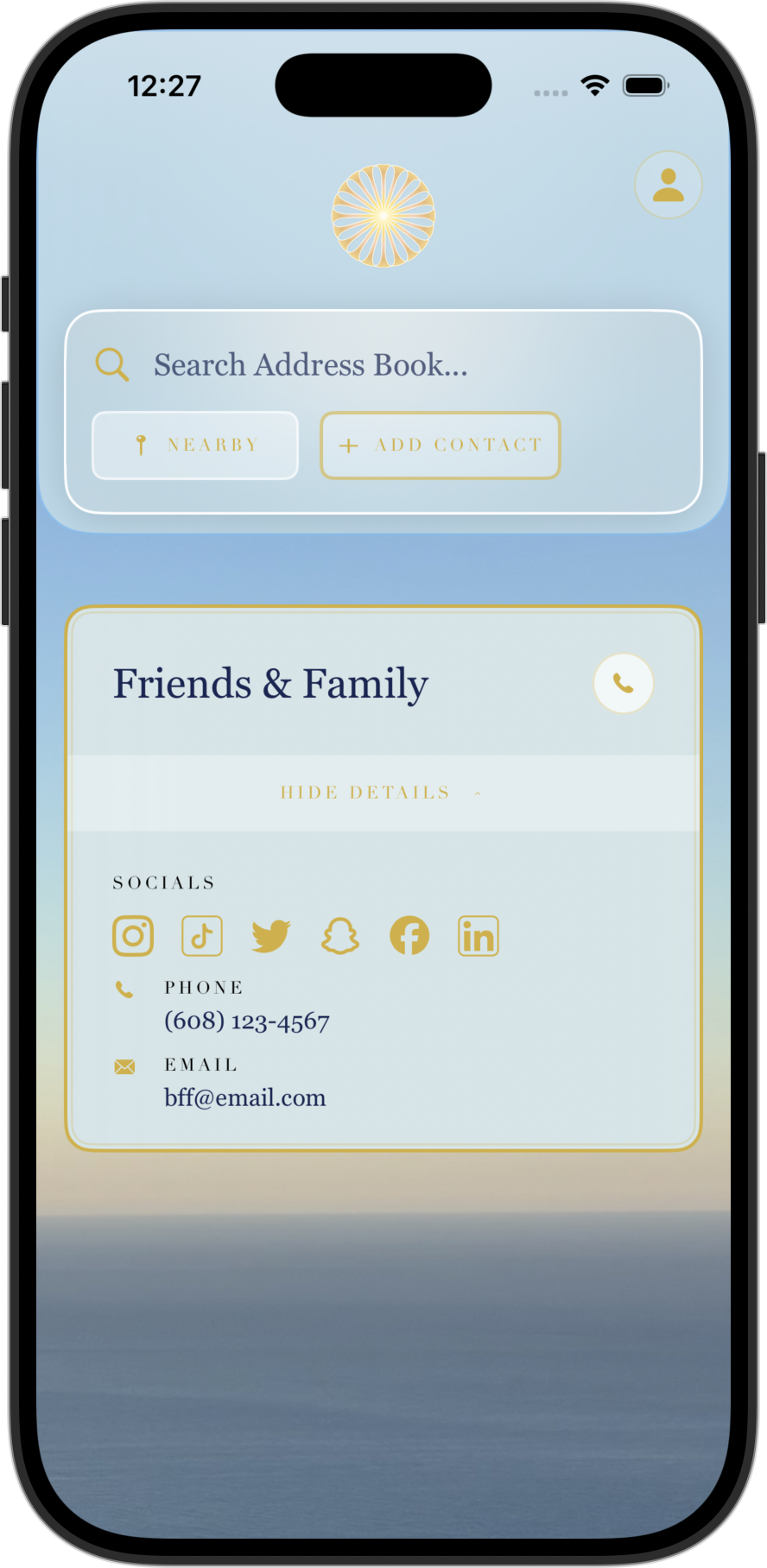
Never Miss Reconnecting with Friends and Family
Built with Thesmoi
Near misses are no fun. The touchdown that almost happened, the goal just shy of being realized, the concert you missed by a hair, the meetup that almost occurred. Near You hopes to close that gap. Never again should we learn a day late that a friend from high school stayed across town in a hotel while we attended a conference in the same city. Once you’ve connected with the people you know, the app quietly keeps an eye out for times when your paths overlap again. Near misses become Near Yous.
Purposefully made for an active lifestyle where our apps work for us in the background, Near You is not meant to be checked or scrolled. It is only meant to notify you when the best thing you can do is put the phone away and go meet up near you. When you and someone you know end up in the same town, you choose whether you want to send a quick message, grab a coffee, share a meal, or make other plans to catch up. Instead of a friend posting a photo from a coffee shop you walk past every morning, the photo is now of your high school friends who by happenstance were all in town that week. Now arriving Near You.

Privacy Policy
Near You only works if it knows, in some form, where you are and who you know. We do not take that lightly. Privacy policies are usually written to be skipped; we have tried to write ours to be read. Below is what we collect, why, who can see it, and how to delete all of it.
Have a question…?
Below are answers to the questions we hear most often. If yours is not answered here, write to us. We will answer every question we can. Questions, ideas, and your own Near You stories can all be sent to contact.nearyou@icloud.com.
|
The Short Version
We collect two things: your contacts and your location. We use them for one purpose, to work out which of your contacts are also on Near You and how far away they are. Nobody ever sees your exact location. We do not collect anything for advertisers, and we never give or sell your information to anyone. You can delete all of it from inside the app at any time.
What We Collect
Your contacts. Only the contacts you add in Near You are sent to our servers, so we can find your mutual contacts: the people you have added who have also added you. The rest of your address book is never taken or stored.
Your location. Used only to work out how far you are from your mutual contacts.
Device information. A device key and an attestation from your phone, which let us confirm that requests really come from the Near You app on your device, and a notification token so we can send you alerts.
That is everything. We do not collect any other information about you.
How We Use Your Contacts
Only to match you with your mutual contacts and to send the right distance to the right people. Contacts you have not added in Near You never leave your phone.
Near You also lets you edit your contacts and their notes more easily. Those edits stay on your phone, with one exception: if you change the phone number of a contact you have added, the new number is sent to our servers so that matching stays correct.
How We Use Your Location
Near You uses your location to tell you when a mutual contact is in the same town, and roughly how far away they are. It asks to use your location “Always” because it needs it to let you know when people are near you, including while the app is closed.
We never show anyone your actual location, only your approximate distance from them: within about 25 miles (40 km), 50 miles, 75 miles, and so on.
|
Who Can See It
Only your mutual contacts, and only an approximate distance. Nobody else is ever told that you are nearby, and nobody can see where you are.
Who Else Gets It
No one. Our servers are our own and hosted locally, not rented from another company, so your contacts and location stay with us.
The one exception is Apple. Notifications on an iPhone can only be delivered through Apple’s notification service, so Apple handles each alert on its way to your phone, and Apple is also used to check your device’s attestation. Apple handles this information under its own privacy policy, which protects it to at least the standard described here.
Permissions We Ask For
Contacts, Location, and Notifications. All three are needed for Near You to work: contacts to find who you know, location to work out distances, and notifications to let you know when someone is nearby.
Your Choices
Go Quiet mode, under Privacy in the app, stops sharing your location with anyone. A moment of silence turns off your alerts when you are too busy.
You can delete everything we hold about you, or your whole account, from inside the app at any time.
You can also withdraw your consent at any time by turning off Near You’s access in your iPhone’s Settings or by deleting the app. Deleting the app does not remove what is on our servers, so use the delete option in the app first.
How Long We Keep It
We keep your information until you tell us to delete it. You can do that from inside the app at any time, either by deleting your data or by deleting your whole account.
Questions
Questions about this policy can be sent to us by email. If we change it, the new version will be posted here with its date.
Effective November 25, 2026
|
Q. How do I get started?
A. Three steps. First, go to the App Store and download Near You from Thesmoi. Then navigate through the app setup. Tell contacts of yours that are not on the app about it so you actually will be able to know if they are in town. Once they add you back, you will each be told whenever the other is nearby. That is all there is to it; after that, Near You stays quiet until it has something worth telling you.
Q. Who can see when I am near them?
A. Only people you are mutual contacts with in the app. You both have to have each other added; nobody else will ever be told that you are nearby.
Q. Why do we both have to add each other?
A. So that nobody is ever told you are nearby unless you have chosen them too. Adding someone on your own is not enough; it only works once they add you back. That keeps Near You between people who actually know each other.
Q. Can I switch Near You off for a while?
A. Yes, in two ways, both under Privacy in the app. Go Quiet mode stops sharing your location, so nobody is told that you are nearby. And if you are simply too busy, you can take a moment of silence to turn off your alerts. Switch either one back whenever you like.
Q. Why can’t I see exactly where my friends are?
A. Because Near You is about being in the same town, not about tracking anyone. Nobody can see your exact location either. Near You only tells you roughly how far away a friend is: within about 25 miles (40 km), 50 miles, 75 miles, and so on. That is all it takes to send a message; where you meet is up to the two of you.
Q. Why am I not seeing anyone nearby?
A. Most often it is because the people you know do not have the app yet, or have not added you on it. Both of you need the app, and both of you need to have added each other. A quick text about Near You is often all it takes.
Q. I have an idea. Where can I send it?
A. We would love to hear it. Ideas for new features, things we could do better, or anything else you are wondering about can all be sent to us by email.
|
Q. What happens when a friend is nearby?
A. You get a notification on your phone letting you know that they are in town. The rest is up to you.
Q. I have a new phone. How do I move Near You to it?
A. First delete the app from your old phone. Then install it on your new phone and add the new phone there.
Q. Will it drain my battery?
A. Hardly at all. Near You relies on the phone’s own low-power system monitoring, so most days you will not notice it is there.
Q. Near You helped me meet up with someone. Can I share the story?
A. Please do. We would be pleased to receive it by email, and it may be considered for publication on our front page.
Q. Who makes Near You?
A. Near You was created by Amitabha Shatdal using technology developed by Thesmoi. Thesmoi builds a layer that sits on top of today’s frontier AI, helping it work more efficiently and making the most of what it can do. Near You is one example of the work it makes possible.
Q. Which iPhones does it work on?
A. Any iPhone running iOS 15 or later. If your iPhone can update to iOS 15, it can run Near You.
THIS SPACE RESERVED FOR
YOU
A. (Leave this part to us.)
No question too small, no idea too big.
|
The idea for Near You began on a trip to New York City that I took after my junior year at UW-Madison. A few friends from my summer internship and I decided to pack our bags for a weekend and head to the city that never sleeps. The days were exciting with so much to explore; not a moment to think. It was only when walking to Penn Station for our train ride back that I remembered that two college friends of mine lived in the city. I had walked just blocks from their apartments, but at this point there was no chance of meeting up.
In sharing this story, I started to learn that many people wished for a way to know if their friends by happenstance were in the same town. Sometimes they were traveling and fatefully ran into a cousin of theirs, but more often they only found out after the fact that they had been just minutes away from each other. With Near You, I hope you are able to reconnect and stay in touch no matter if that’s on a ski slope in Sun Valley, a beach in LA, or a gondola in Venice.
Amitabha Shatdal
If Near You has brought you together with a friend, a relative, or an old colleague, we would be pleased to receive your story. Stories can be sent via email and may be considered for publication here.
THIS SPACE RESERVED FOR
Your Story
We are saving this spot for your story. Ran into an old friend thanks to Near You? We would love to print it here.
— Your Name Here
BRING YOUR PEOPLE
More Friends Are More Fun
CLICK TO TEXT A FRIEND NEAR YOU.
|
NEAR YOU
Warning: May Cause Spontaneous Reunions.
Same Town, Same Time
NEVER MISS A MEETUP.
|
|